Physical Therapy Video Marketing and Physical Therapy Marketing Videos for PT Clinics
Your PT schedule is full, but your low back pain page still needs a video. So do the shoulder rehab page, the appointment reminder, the home exercise follow-up, and the weekly Reel. VidUp turns the answers your clinic already publishes into physical therapy marketing videos without taking a therapist away from patient visits. Paste a service page URL or reviewed text, then publish a finished MP4 with narration, captions, stock footage, and music.
This is your video, rendered from the text above: s, voiced by , music bed. The preview is short and carries the VidUp mark.
Paste your own text and hit Make the video. Create your account for the clean 1080p file, in every size.
In short
Physical therapy video marketing uses educational videos to explain conditions, services, and care expectations so people can choose a clinic and prepare for treatment. Video marketing for physical therapists also supports appointment reminders, home exercise program follow-ups, and reactivation of discharged patients. VidUp turns pasted text or a service page URL into a finished MP4 with AI voiceover, burned-in captions, matched licensed stock footage, and music, exporting 9:16, 1:1, and 16:9 from one render without filming a PT.
US outpatient physical therapy clinic owners and marketing leads, including cash-based, in-network, sports and ortho PT practices, and multi-site groups that need regular video without taking therapists off the schedule.
Give every condition page a clear answer
Someone comparing clinics for knee pain needs to understand an evaluation before booking. Turn the explanation on each condition or service page into a captioned overview beside the appointment button. Keep the video focused on what your clinic assesses, how goals are discussed, and what happens next, rather than giving a diagnosis to everyone who watches.
Keep therapists on the treatment schedule
Clinic owners and marketing leads can work from existing service copy and general patient handouts. A PT reviews clinical accuracy without becoming the presenter, camera operator, or editor. For multi-site groups, a shared brand kit keeps logos, colors, and fonts consistent while each script reflects the services and booking process available at that location.
Support the plan of care between visits
Send a general video explaining why the home exercise program matters, what to bring to an evaluation, or how reassessments guide the plan of care. Add the appropriate link through your existing reminder or email system. VidUp makes the MP4; your clinic handles delivery and keeps individual exercise instructions in the established patient care workflow.
Turn a clinic question into a video patients can use
Choose a real question from the front desk
Start with an approved condition page, a general first visit handout, or a script explaining direct access. Address the uncertainty behind the question. Someone asking about visit counts may need to understand how a PT sets goals and reassesses progress, rather than hear a fixed treatment schedule that cannot apply to every case.
Review the clinical and billing details
Have a clinician check the explanation and your billing team confirm insurance language. Separate state direct access rules from insurer referral or authorization requirements. Remove patient details, guaranteed recovery dates, and unsupported claims. For cash-based clinics, describe how payment works without suggesting that insurance reimbursement is assured.
Generate the finished MP4 from text or a URL
Paste the reviewed script or service page URL into VidUp. It builds AI voiceover, burned-in captions, matched licensed stock footage, and music, with your brand kit for logo, colors, and fonts. One render supplies 9:16, 1:1, and 16:9. There is no avatar, editing timeline, screen recording, or video upload or import.
Check the video and publish it in context
Review the finished narration, captions, and representative footage before publishing. Put the wide version on the matching service page and upload the vertical version for the weekly Reel. Link a general preparation or consistency video in appointment reminders and home exercise follow-ups through your clinic systems, without moving patient information into VidUp.
What to publish for a physical therapy clinic
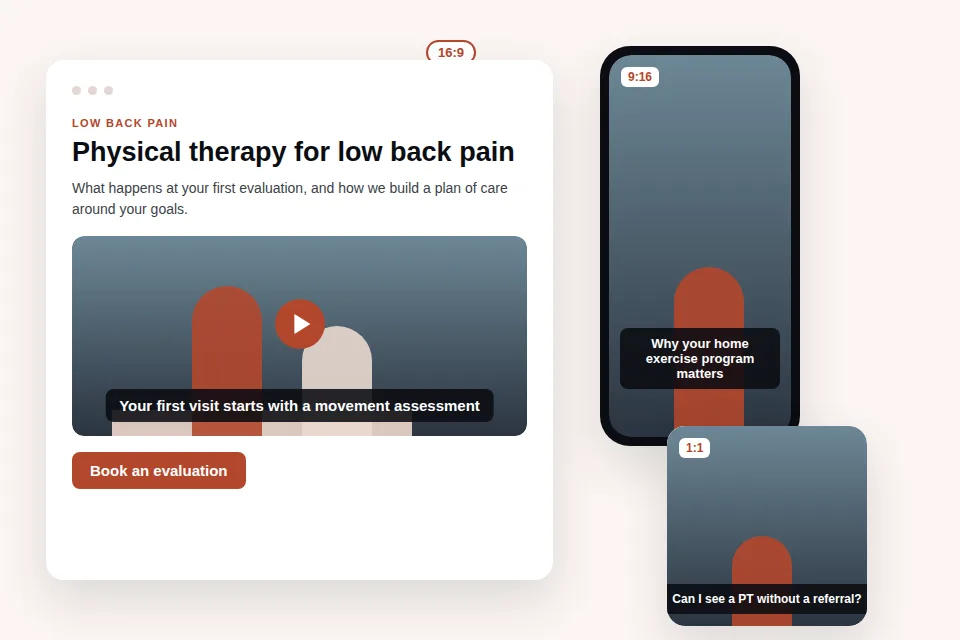
Useful physical therapy clinic marketing begins with the questions that delay an evaluation. Will the first visit include treatment? What does a plan of care mean? Can someone book without a physician referral? Answer each in plain language using the policies your clinic actually follows. A condition explainer should describe the assessment and care process without prescribing exercises to a viewer whose history you do not know. Use a booking link that leads to the matching service or location.
Build the library from condition pages and general handouts before inventing another campaign. The URL to video workflow turns a published service page into a video, while reviewed scripts work when the answer needs more context. For broader clinical communications, see healthcare video marketing. Groups offering both services can compare the patient question approach in chiropractic video marketing while keeping the clinical scope of each service clear.
Condition and rehabilitation explainers
Cover low back pain, knee pain, shoulder pain, ankle sprain, and post-surgical rehab. Explain how evaluation, goals, and progression work. For post-op ACL or rotator cuff rehab, acknowledge that surgeon guidance and individual findings shape the plan rather than giving a universal return date.
First visit and plan of care videos
Describe intake, movement assessment, goal setting, and discussion of the plan of care. Explain that visit counts depend on clinical findings, progress, and coverage. This gives new patients useful preparation without promising a preset course of treatment.
Direct access and insurance questions
Explain whether your clinic can evaluate someone through direct access and when a payer may still require a referral or authorization. In-network and cash-based clinics need different payment explanations. Have the billing team review each version and invite viewers to confirm their own benefits.
Home exercise program reminders
Explain why consistency matters, where to find the assigned program, and how to contact the treating PT with questions. Keep these videos general. They support an individualized program without demonstrating or changing prescribed exercises, repetitions, or precautions.
Workers comp and sports PT
Describe the evaluation, communication, and functional goals involved in workers comp care or sports rehabilitation. Discuss return to work and return to sport as decisions requiring assessment. Avoid promising claim approval, clearance, or a particular recovery timeline.
Specific patient exercise demonstrations
These need a real PT filming the appropriate movement and instructions, with written authorization if a patient appears. VidUp uses stock footage and does not import clips, so it cannot demonstrate a specific patient exercise program or show your therapist correcting technique.
Patient testimonials
A testimonial must show the real patient and reflect their actual experience, recorded with written authorization. Film it separately through your clinic process. Stock footage and AI narration should never stand in for a patient endorsement or imply an outcome your clinic delivered.
Where physical therapy marketing videos run
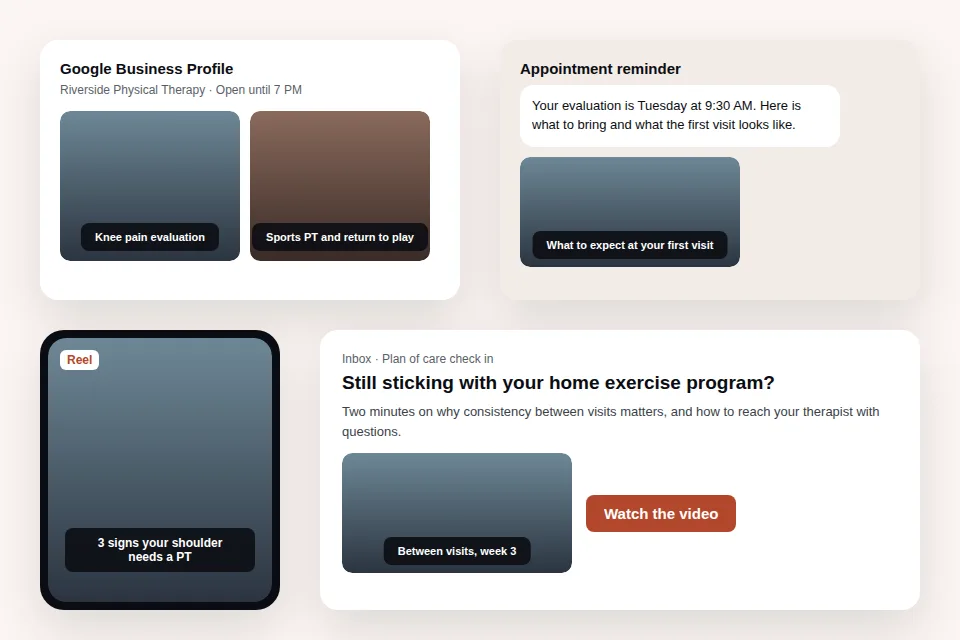
Your website and Google Business Profile help people compare local care options. Place the condition overview beside the relevant explanation and booking link. Upload a general evaluation or service video to the appropriate Google Business Profile. For multi-site PT groups, check that location-specific scripts match available services, access rules, and contact routes. Representative stock footage should not be described as a tour of that clinic.
Reels, Shorts, YouTube, and Facebook give each explanation another useful setting. Use the vertical export for a weekly Reel or Short and the wide export for physical therapy videos on YouTube that can also sit on service pages. Physical therapy social media posts can answer a direct access question, explain what a reassessment measures, or describe preparation for a sports PT evaluation. Captioned videos remain readable when viewers keep audio off.
Appointment reminders, discharge, and reactivation emails reach people at a specific decision. Link the first visit video from your existing reminder system, the general home exercise consistency video after a visit, and a next steps explanation at discharge. For reactivation of discharged patients, offer a route to discuss a new concern rather than suggesting everyone needs more care. Keep recipients, diagnoses, and individual instructions in clinic systems; VidUp supplies the general video file.
Practical marketing ideas for physical therapy clinics often come from missed explanations rather than new promotions. Group recurring questions into service, access, and care process topics, then choose a weekly subject your team can review. These physical therapy marketing ideas work across a website, social account, and patient message because the underlying answer stays useful. Compare the publishing workload with the video allowances on VidUp pricing before choosing a plan.
Claims and honest limits for physical therapy videos
The FTC expects advertising claims to be truthful, substantiated, and consistent with the evidence behind them. Describe the care process and the questions an evaluation can address. Avoid promising outcomes, claiming a cure, or suggesting that everyone with knee pain needs the same treatment. A video about post-op rehab should respect surgical precautions and individual progression. Review generated narration, captions, and footage for implied claims as well as explicit wording.
For HIPAA, do not use patient names, faces, voices, or identifying treatment details in marketing without written authorization. VidUp videos use licensed stock footage, so no clinic patient PHI is present in that footage. Keep scripts general and free of PHI too; stock visuals do not remove identifying details from narration or captions. Do not paste charts, appointment lists, or individualized home exercise programs into VidUp. Keep patient communications within your established privacy workflow.
Film your own team when the viewer needs to see who will provide care or exactly how a movement should be performed. Therapist introductions, a real clinic tour, specific exercise demonstrations, and authorized patient stories depend on authentic footage. VidUp has no video upload or import and cannot turn stock into your facility or staff. Publish those filmed pieces separately, alongside the text-based service explainers that keep your education library current.
Ways PT clinics produce video for patients and marketing
Choose the approach around what viewers need to see and who can maintain the content. Real demonstrations require filming. General service and care process explanations can start with reviewed text. Third-party production and management costs depend on the agreed scope and are quoted.
| Approach | What it takes | Cost | Best for | Trade-off |
|---|---|---|---|---|
| PT films on a phone | A therapist, suitable space, filming time, captioning, and editing | Staff time and available equipment | Team introductions, specific exercise demonstrations, and authorized patient stories | Time comes out of clinical or administrative work, and publishing depends on staff availability |
| Local videographer | A production brief, scheduled access to the clinic and team, filming, and review | Quoted per project | A real clinic tour, provider profiles, and a planned library of filmed demonstrations | Changes to staff, services, or instructions can require another shoot and additional quoted work |
| Marketing agency retainer | An agreed publishing scope, clinical review process, and access to approved materials | Monthly retainer, quoted | Clinic groups outsourcing channel management, campaign planning, and content coordination | Confirm whether original filming, revisions, and patient communications are included in the contract |
| VidUp | Paste reviewed general text or a condition or service page URL, then review the finished MP4 | Starter $49 a month or $24 a month billed yearly for 30 videos; Growth $99 a month or $49 a month billed yearly for 75 videos | Condition explainers, first visit answers, general home exercise reminders, and weekly social videos | Licensed stock footage cannot show your real PT team or a specific patient exercise demonstration |
Starter includes 1080p and a brand kit. Growth adds premium voices and 2 seats. VidUp creates the video; your clinic reviews clinical accuracy and publishes or sends it through existing systems.
Related pages
More use cases
Related features
The questions buyers ask before they pick a video tool, answered straight.
How do physical therapists use video marketing?
Physical therapists use video marketing to explain conditions and services, prepare people for evaluations, and reinforce general care expectations between visits. Clinics publish videos on service pages, Google Business Profile, and social channels, then link relevant explanations in appointment reminders, home exercise follow-ups, discharge messages, and reactivation emails.
What videos should a physical therapy clinic post?
Post condition explainers, first visit overviews, plan of care explanations, direct access and insurance answers, and general home exercise program reminders. Include workers comp and sports PT topics when those services are available. Film your real team for introductions and specific exercise demonstrations rather than treating stock footage as clinical instruction.
Is video marketing worth it for physical therapy clinics?
It can be worth it when videos help people understand your services and take the next appropriate step. Compare subscription and review time with the net contribution of a new plan of care, which may cover the subscription. Track inquiries and bookings from relevant pages without assuming every viewer becomes a patient.
Can I use patient testimonials in physical therapy videos?
Yes, patient testimonials can be used with written authorization that covers the intended marketing use and a truthful account of the actual experience. Do not imply guaranteed or typical outcomes without support. Record the real patient separately through your clinic process; VidUp uses stock footage and does not import testimonial clips.
How much does physical therapy video marketing cost?
Costs range from staff time for phone filming to quoted videographer projects and agency retainers. VidUp Starter costs $49 a month or $24 a month billed yearly for 30 videos. Growth costs $99 a month or $49 a month billed yearly for 75 videos, with premium voices and 2 seats.
What are good physical therapy marketing ideas for social media?
Good physical therapy marketing ideas for social media answer a specific question people ask before or between visits. Explain direct access, evaluation preparation, reassessments, or why a home exercise program needs consistency. Publish a captioned weekly Reel from reviewed text, and film your therapists separately when demonstrating technique or introducing the team.
Make your first video
Paste a script, a blog post, or a product URL and VidUp builds a finished short with voiceover, captions, footage, and music, auto-sized for every platform. Flat plan, no credits.