Alternative
Animoto Alternative That Narrates Your Script Over Stock Footage
Animoto is a template video maker built around your own media. You pick a video type, upload photos and clips, and its AI writes and assembles a slideshow-style video you can then edit, with voice-over, Getty stock, and 4K on the Professional plan. It is a good tool when you have the pictures. VidUp starts from words instead: paste a script, a blog post, or a product URL and it returns a finished video with an AI voiceover, word-timed captions, licensed stock footage matched to each line, and music, sized for 9:16, 1:1, and 16:9 in one render. No uploads, no timeline, no avatars, on a flat plan of 30, 75, or 200 videos a month.
This is your video, rendered from the text above: s, voiced by , music bed. The preview is short and carries the VidUp mark.
Paste your own text and hit Make the video. Create your account for the clean 1080p file, in every size.
VidUp vs Animoto
| Capability | VidUp | Animoto |
|---|---|---|
| Input: script, blog post, or product URL | Details, URL, and your uploaded media | |
| Works with no photos or clips of your own | Built around your media | |
| AI voiceover on every plan | Voice-over on Professional and up | |
| Word-timed burned-in captions | Text slides and captions you place | |
| Licensed stock footage matched to each line | Getty stock you pick, Professional and up | |
| Auto-sized 9:16, 1:1, and 16:9 from one render | Pick one ratio per video | |
| Drag and drop editor | ||
| Screen and webcam recording | ||
| Hosted video landing pages | Professional and up | |
| Videos keep working after you cancel | MP4 files you host | Links stop, 90 days storage |
Comparison reflects general product positioning and is provided in good faith. Verify current capabilities with each vendor.
Why marketing teams look for an Animoto alternative
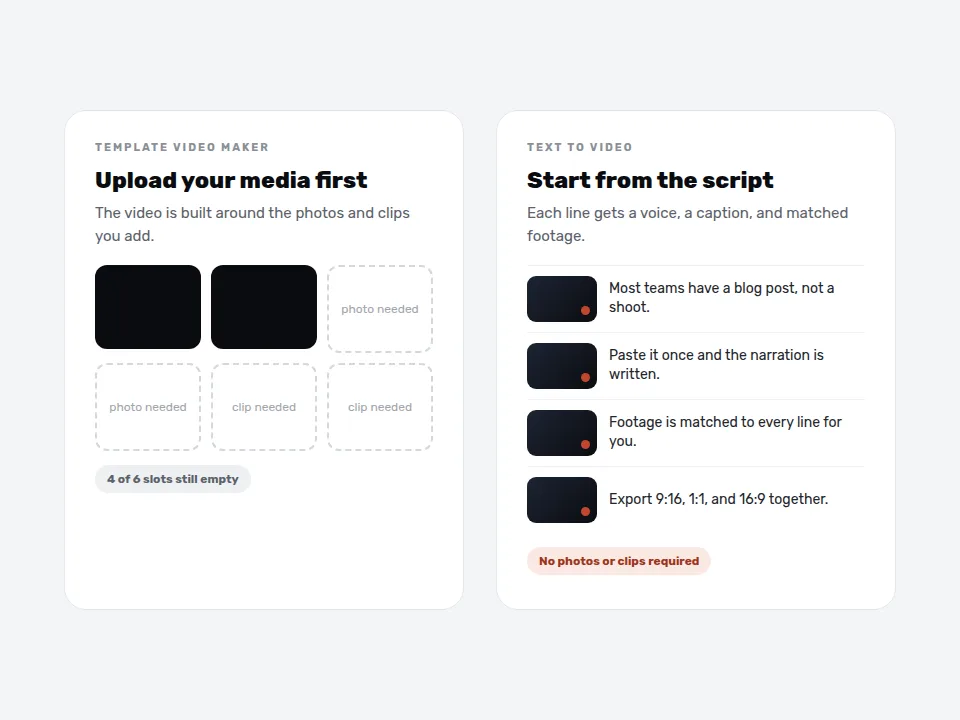
Animoto says it plainly on its own AI video maker page: your media will always be at the center of your videos. That is the right promise for a realtor with listing photos, a photographer, or a school with event pictures. It is the wrong one for a marketer whose raw material is a blog post, a product page, or a script, and who has no folder of fresh clips for every topic on the calendar.
The second reason is narration. A template slideshow with text slides reads fine on a feed with the sound off, but explainers, product walkthroughs, and service pages usually need a voice. On Animoto, voice-over is a Professional plan feature and you still pick the shots. VidUp writes the scene script, voices it, burns in captions timed to the words, and chooses footage for each line, so a 600 word article becomes a narrated 60 to 90 second video without you choosing a single clip.
The third is what happens when you stop paying. Per the Animoto help center, when a subscription expires your share links and embeds stop working and your videos stay in the account for 90 days. VidUp exports finished MP4 files you keep and host wherever you like, so a video on a landing page does not depend on the plan staying active.
Switch if you start from text, not photos
Paste a script, an article, or a product URL. VidUp builds the visuals from licensed stock footage, so you do not need media of your own.
Switch if every video needs a voice
AI voiceover and synced captions are part of every render on every plan, not an upgrade.
Switch if you post one script in three sizes
Each render exports 9:16, 1:1, and 16:9 together, ready for Shorts, Reels, feeds, and your site.
Switch if embeds must outlive the plan
VidUp gives you MP4 files to host anywhere, so nothing on your site breaks if you pause.
Stay with Animoto for your own photos and clips
Listing photos, event pictures, and recorded webcam or screen footage are the Animoto sweet spot. VidUp does not import video or images.
Stay with Animoto if you want to edit by hand
Animoto has a drag and drop editor for text, colors, layout, and pacing, plus hosted video landing pages. VidUp has no editor.
Animoto plans vs VidUp plans in 2026
Plan features from the Animoto pricing page and help center, checked in October 2026. Animoto loads dollar prices for each visitor at checkout and states that annual billing saves up to 50 percent, so confirm the exact price in its checkout. VidUp prices are US list prices from our pricing page.
| Plan | Users | Output | What you get |
|---|---|---|---|
| Animoto Free | 1 | 720p, watermark | Unlimited video creation, screen and webcam recording, 50 licensed music tracks |
| Animoto Basic | 1 | 1080p, no watermark | Everything in Free plus unlimited downloads |
| Animoto Professional | 1 | Up to 4K | Logo and colors, 1 saved brand, voice-over, 1M+ Getty Images stock, 3,000 music tracks, video landing pages |
| Animoto Professional Plus | 3 | Up to 4K | 100M+ Getty Images stock, 10 saved brands, team workspace and comments, extra seats, license to resell |
| VidUp Starter, $49 or $24 yearly | 1 | 1080p | 30 finished narrated videos a month from text or a URL, 1 brand kit |
| VidUp Growth, $99 or $49 yearly | 2 | 1080p | 75 finished videos a month, premium voices |
| VidUp Pro, $199 or $99 yearly | 3 | Up to 4K | 200 finished videos a month, multiple brand kits, API with signed webhooks |
Animoto paid plans keep videos for 90 days after the subscription ends, and share links and embeds stop working when it expires. Animoto offers discounted plans for registered nonprofits, teachers, and schools. VidUp has no free plan, only a one-time demo.
Animoto alternatives by the kind of video you make
If your source is written content, a blog post, a product page, a script, a newsletter, that is the VidUp lane. The blog to video and URL to video pages show the one pass from text to a finished, narrated video, and the small business video marketing page shows how one owner keeps a weekly posting schedule with it.
If you want a presenter on screen, the closer swaps are avatar tools, so read the Synthesia alternatives and HeyGen alternatives pages. If you want another template editor with a large stock library and a timeline, compare the InVideo alternative and Lumen5 alternative pages, since Lumen5 also turns articles into slide-style videos.
If you are a real estate agent moving off Animoto, keep the listing tours on a photo tool and use text-to-video for the market updates, neighborhood guides, and buyer tips that have no photos behind them. The real estate video marketing page walks through that split.
How to test VidUp against Animoto before your renewal date
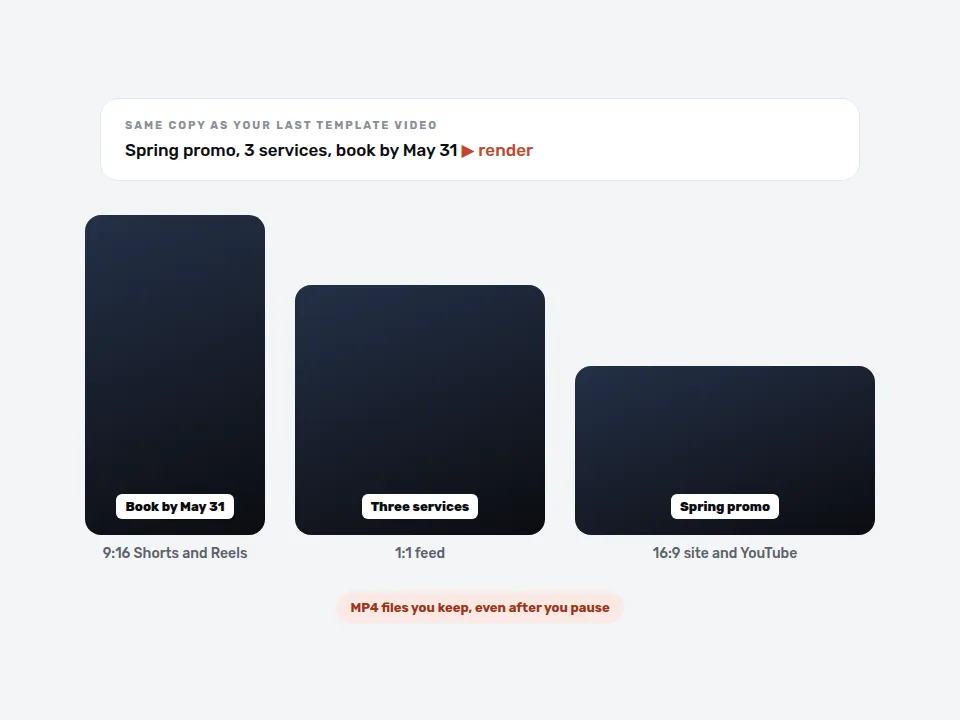
Use a video you already shipped. Take the copy behind your last Animoto video, a product page, a promo, or a blog summary, and paste it into VidUp. Compare the two on a phone: whether the visuals fit each line, whether captions are readable without sound, and how long each took you from start to export.
Count the minutes, not the plan price. Animoto offers unlimited video creation, so the cost that matters is the time you spend picking media and arranging slides. If that is 30 to 45 minutes a video, a VidUp render that needs a two minute script check changes the math for a team posting several times a week.
Download before you cancel. Animoto share links and embeds stop when a subscription expires, so export the MP4 files of videos that live on your site first. Then set your Animoto renewal to off and give VidUp the next month of your calendar. Starter is $24 a month billed yearly for 30 finished videos.
Related pages
Other comparisons
The questions buyers ask before they pick a video tool, answered straight.
What is the best alternative to Animoto?
It depends on what you start from. If you have photos and clips, Animoto is hard to beat for templates. If you start from a script, blog post, or product URL and want a narrated video without picking media, VidUp is the closer fit: voiceover, captions, stock footage, and music in one render.
Is Animoto worth paying for?
Yes, if your videos are built from your own pictures, such as listing photos, event shots, or product photography, and you want to edit them by hand. It is less useful when you have no media for a topic, because its AI builds the video around what you upload.
Does Animoto have AI voiceover?
Animoto lists voice-over as a Professional plan feature, and its AI video maker writes a script from your details or a URL. VidUp includes an AI voiceover with word-timed captions on every plan and picks the footage for each narrated line, so you never assemble the visuals yourself.
What happens to my Animoto videos if I cancel?
According to the Animoto help center, when a subscription expires you lose paid features, your share links and embeds stop working, and your videos stay in your account for 90 days. Download the MP4 files of anything embedded on your website before the plan ends.
Can VidUp turn a URL into a video like Animoto?
Yes. Paste a product page, blog post, or landing page URL and VidUp reads the text, writes a scene script, voices it, adds captions, licensed stock footage, and music, and exports 9:16, 1:1, and 16:9 versions. Unlike Animoto, it does not reuse photos from the page, it matches stock footage to each line.
Is VidUp cheaper than Animoto?
Not always on sticker price. Animoto has a free plan and lower entry tiers with unlimited video creation, while VidUp Starter is $24 a month billed yearly for 30 videos. VidUp wins when your bottleneck is time: a finished narrated video from text in minutes instead of choosing media and arranging slides.
Make your first video
Paste a script, blog post, or product URL and get a finished short with voiceover, captions, footage, and music, auto-sized for every platform. Flat pricing, no credits. Decide for yourself.